Beginner's Guide to AT&T Internet Equipment
Beginners-Guide-to-ATT-Internet-Equipment

Discover the possibility of using your own modem and router with AT&T and find answers to other equipment-related queries. With AT&T internet, you can choose to rent a Wi-Fi gateway for a nominal monthly fee or opt for your own equipment.

What is the AT&T Wi-Fi Gateway?

The AT&T Wi-Fi Gateway is a modem-router combo device that brings internet into your home and distributes the signal for whole-home Wi-Fi. It allows for connecting up to four wired devices and any Wi-Fi-enabled devices.

What is Smart Wi-Fi?

The AT&T Wi-Fi Gateway utilizes Smart Wi-Fi technology to automatically choose the best and fastest connection for your devices to provide more consistent coverage. It is included with AT&T internet plans of 12 Mbps or higher and requires a BGW219, 5268aC or NVG599 Wi-Fi Gateway.
What-is-Smart-Wi-Fi

Can I install my own AT&T internet equipment?

Yes, you can opt for professional installation or self-installation when subscribing to an AT&T internet plan. A self-installation guide is available.

What if I have dead zones in my home?

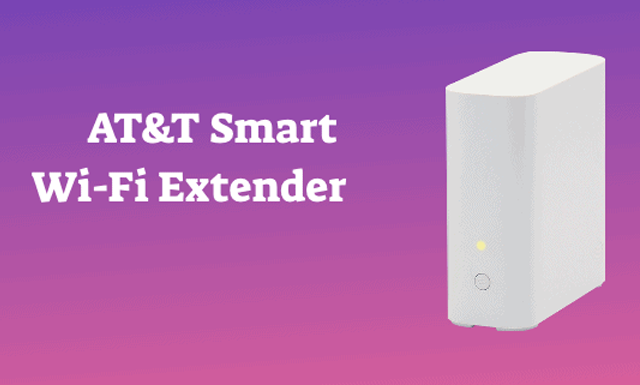
If you experience dead zones in your home with the AT&T Wi-Fi Gateway, consider purchasing a Wi-Fi extender. You can buy your own or opt for the AT&T Smart Wi-Fi Extender for $49.99. The Smart Wi-Fi extender is designed for use with a 5268AC, BGW210 or NVG599 Wi-Fi gateway, increases coverage by up to 1,000 sq. ft. and uses mesh technology for seamless connectivity.
Wi-Fi-extender

Can I manage my home network remotely?

Yes, with the Smart Home Manager app, you can monitor your home network from any device for free. The app allows for customizing Wi-Fi network name and password, managing connected devices, inviting guests to the network and more.

How do I reboot my AT&T Wi-Fi Gateway?

Rebooting your AT&T Wi-Fi Gateway can be done either through the Smart Home Manager app or manually. To reboot manually, unplug the power cord, remove the internal battery (if applicable), wait 20 seconds, put the battery back, plug in the device, and wait up to 10 minutes for the broadband light to blink green.

My internet seems slow. How can I check my speed?
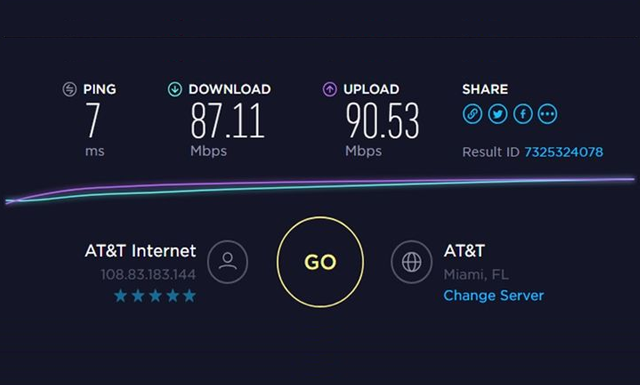
If your AT&T internet is not running optimally or is slower than normal, you can run a speed test on the AT&T internet speed test page. The results will show you how your speeds compare to advertised AT&T internet speeds.
ATT-internet-speed-test-page

Does AT&T offer internet security?

Yes, AT&T offers the AT&T Internet Security Suite powered by McAfee for free to all internet and DSL customers with a 3 Mbps plan or higher. The security suite protects your computer from viruses and malware and offers parental controls, computer health check, and more. To ensure the safety and security of your account, you may want to change your AT&T password.