
How to Change or Reset Disney Plus Password

Disney+ is an excellent streaming platform for movie and TV show enthusiasts, offering a wide range of content including Disney classics and Marvel blockbusters, ensuring that there's something for everyone.
However, to ensure the safety and security of your account, it's important to keep your password updated. This can easily be done by following a few simple steps to change your Disney+ password.
Change Your Disney+ Password on Desktop:
Unauthorized account access is a common occurrence. If you suspect that your account has been breached or is being used by someone else, changing your password is a crucial initial step in securing your account and restoring its safety.
Steps to Change Your Disney+ Password on Desktop:
1. Log in to your Disney+ account.
2. Click on the profile picture located in the top right corner and select "Account."
3. Under "Account Details," click on the "Edit" icon next to "Password."
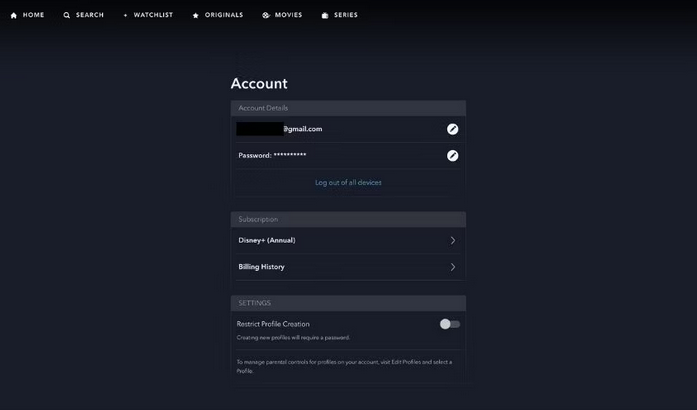
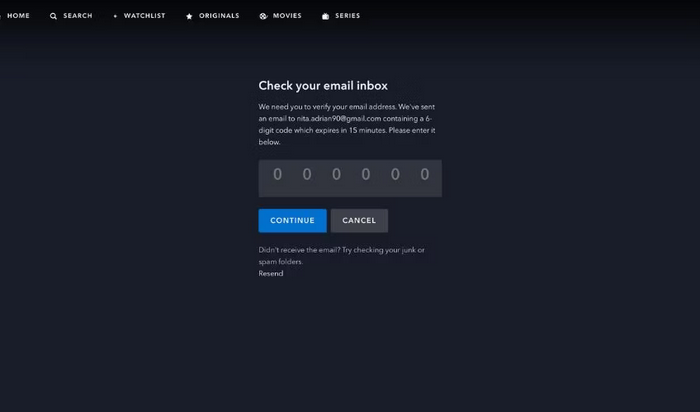
4. A one-time code will be sent to you via email or text message, enter this code to verify your identity.
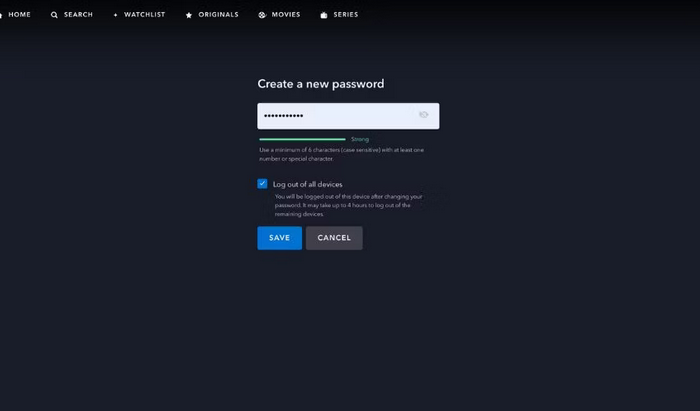
5. Create a new password that is at least six characters long and includes a mix of uppercase and lowercase letters, numbers, and symbols.
Change Your Disney+ Password on Mobile:
If you're on the go and need to change your Disney+ password, don't worry, it's just as easy to do on mobile. Follow these steps:
1. Open the Disney+ app on your iOS or Android device and tap on your profile icon in the bottom right corner.
2. Tap on "Account" and then tap on "Change" next to "Password."
3. You will receive a one-time code via email or text message, enter this code to verify your identity.
4. Choose a new password.
5. Tap "Save" and you're all done!
Your password has now been successfully updated on your mobile device.
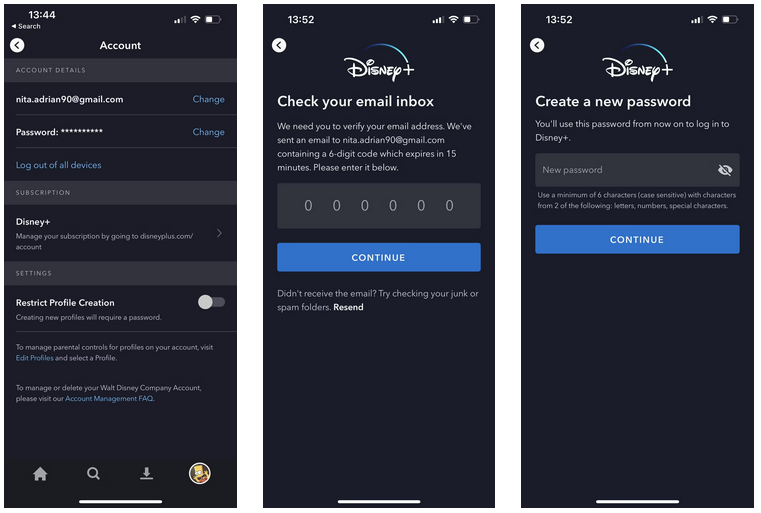
Modifying your password on a mobile device is simple and quick. Ensure the safety of your account by selecting a secure and uncommon password.
Reset Your Disney+ Password
Keeping track of all your accounts can be a challenge, and it's not uncommon to forget your passwords. If you've forgotten your Disney+ password, don't worry! You can reset it easily. Follow these steps:
1. Launch the Disney+ app.
2. Tap on "Forgot Password?"
3. You'll receive a one-time verification code via email or text message. Enter this code to confirm your identity.
4. Set a new password for your account.
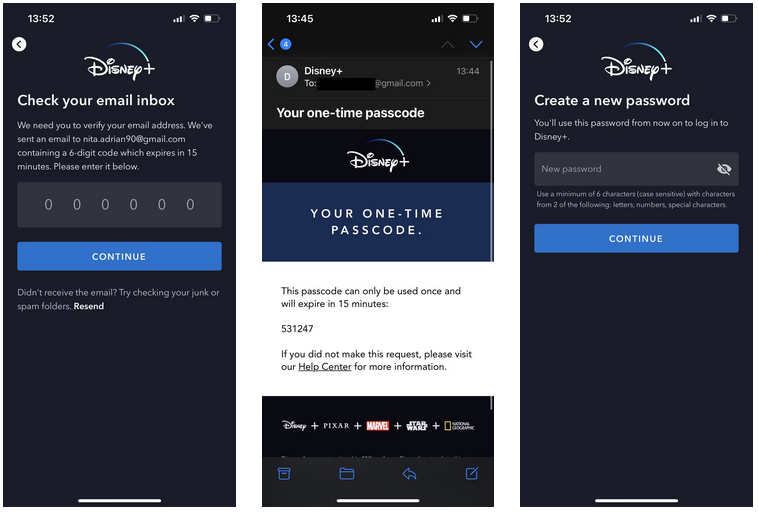
That's all there is to it! You have successfully reset your Disney+ password. These same steps can be applied if you're attempting to reset your password on a desktop computer.
Please note that you need to have access to the email associated with your Disney+ account to reset your password. If you are unable to recall the email address, you will need to seek assistance from the customer service team at the Disney Help Center.
After changing your password, we highly recommend that you take a look at the Beginner's Guide to Disney Plus to discover more valuable tips and insights that can enhance your experience.
