
Beginner's Guide to PayPal
PayPal has maintained its dominance as the preferred method of conducting online transactions for many years. Its popularity continues to be unchallenged as the leading platform for making payments for goods and services online.
With a larger number of online merchants accepting PayPal compared to other online payment services, it has become a household name for online shopping. Beyond just e-commerce, PayPal also offers a variety of other services such as managing business payments, coordinating group fundraising efforts, and donating to charitable organizations, making it a versatile tool for managing financial transactions.
Payment Transfer with PayPal
Many individuals set up a PayPal account with the primary purpose of making online purchases. However, PayPal's payment system offers a multitude of other benefits, including:
• Shopping at online retailers
• Paying freelancers for work completed
• In-store purchases through integration with Google Pay or Samsung Pay
• Sending money to family and friends
As you navigate the web, you'll find that the PayPal logo is becoming increasingly prevalent, rivaling the ubiquity of VISA and Mastercard logos. This highlights the growing usefulness of having a PayPal account.
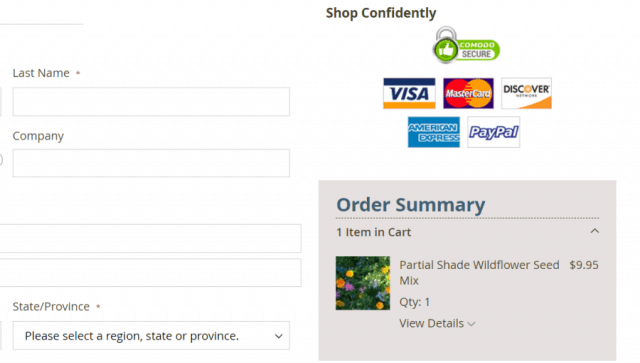
Choosing to pay online with PayPal involves a simple sign-in to your account. After confirming the payment details in your account, you'll be redirected back to the merchant's website to complete the purchase.
Sending payments to other PayPal users is even more straightforward. Simply log into your PayPal account and click the "Send" button to initiate the transaction.
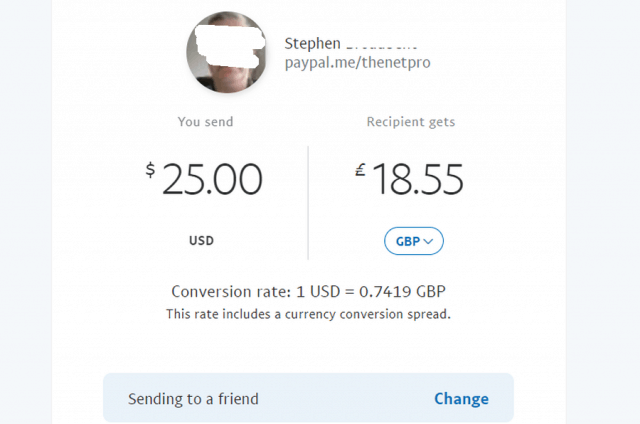
With the option to select the payment method, you can either send money to a friend or pay for goods and services. When you send money to a friend, there are no charges involved. However, when paying for a service or product, the transfer fee is borne by the seller. Additionally, the company facilitates receiving payments through a personalized PayPal URL.
Accepting Payments
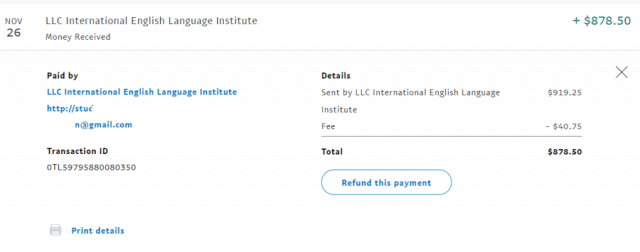
Accepting payments through PayPal is as straightforward as making them. If you are receiving payment from a friend, there are no fees to be concerned about. On the other hand, if you are a freelancer or selling goods (such as on eBay), it is important to keep in mind that you may be subject to the standard PayPal transaction fee.
This fee can be viewed in your transaction details, along with the option to print the payment invoice and a button to initiate a refund if necessary.
Making an Invoice
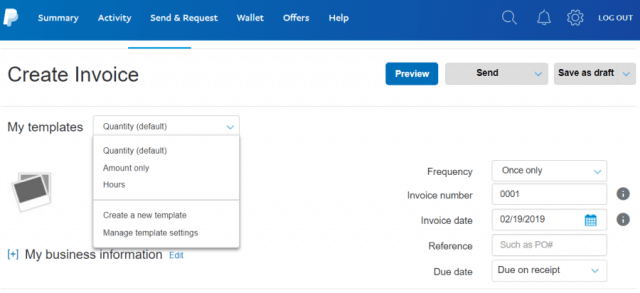
Integrating PayPal Buttons on Your Website
For efficient use of PayPal in your business, it is recommended to integrate PayPal buttons onto your website.
PayPal offers a variety of tools that enable you to create a button that seamlessly integrates into your page. To begin, navigate to the main page and click the Manage Buttons link located on the right side of the page. This will display a list of any buttons that you have already created. To create a new button, click on the Create new button link located on the right.
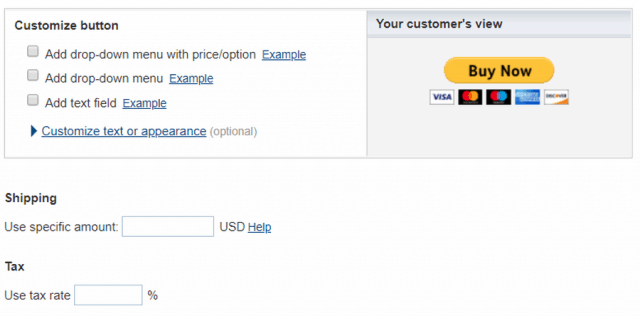
With PayPal, customizing your Buy Now button is a simple three-step process. You can specify the price, set the button behavior, add shipping and tax costs, and more.
You have several options for web button styles, including:
- Shopping Cart
- Buy Now
- Donations
- Subscriptions
- Automatic Billing
- Installment Plan
The customization options will vary based on the type of button you select. Once you have completed the customization, copy the embed code and paste it on your website at the desired location.
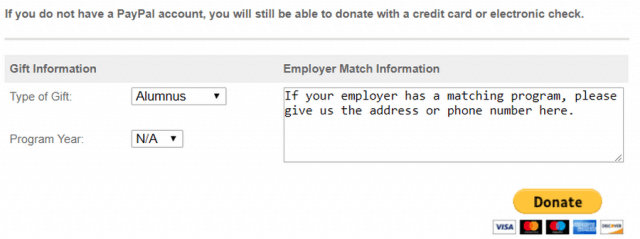
These buttons are ideal for a range of purposes, including selling goods on your website, receiving charitable contributions, or any other scenario where you need to process payments on your own site.
Keeping an Eye on Your Account
PayPal offers a variety of tools to monitor your transactions, including the ability to search your transaction history. This feature is especially useful when it comes to tax season, as you'll need a complete record of all your business dealings throughout the year.
The main summary page provides a concise view of your recent transactions. To access more information, click on the "Activity" link in the menu and then on the "Statements" button in the top right corner of the page.
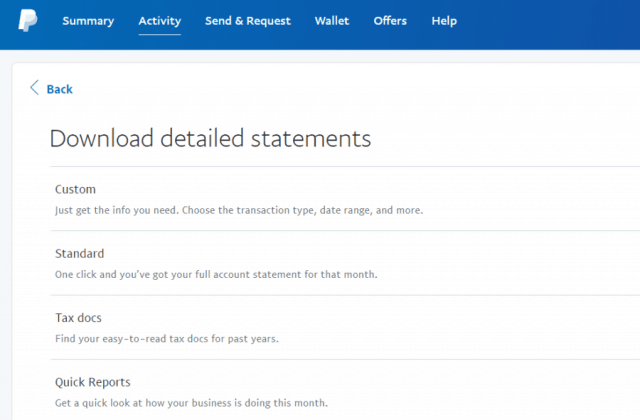
Access various formats for viewing the history of your account, including:
- Custom Format: Gives you the option to view a specific date range or filter transactions by incoming or outgoing funds.
- Standard Format: Allows you to view the complete history of your account.
- Tax Documents: Gives you access to only the information you require for your tax records.
- Quick Reports: Provides a rapid overview of your transactions from the previous month.
By using PayPal for all your business transactions, these reports provide you with all the financial records you need to keep track of everything effectively.
Additional Features of PayPal
PayPal has evolved over time to become a versatile financial transaction tool that serves a multitude of purposes. It's more than just a platform for receiving payments or making purchases. In addition to these functions, PayPal also offers the following features:
- Charitable Giving: PayPal offers a search engine that allows you to donate directly to a wide range of charities from your account.
- Group Fundraising: If you wish to pool funds with friends, simply create a money pool through your PayPal account and invite others to contribute via email.
- Send a Gift: Utilize PayPal's "Send a Gift" form to send financial gifts to anyone using their email address or mobile number.
- Split a Bill: When sharing expenses with roommates, you can use PayPal to request money from multiple email accounts and pay the bill with the combined funds.
Understanding PayPal Fees
PayPal has a relatively low fee structure, depending on how you use the service. Here's what you can expect:
- Sending Payments within the US: There is no fee for making payments from your PayPal account to anyone within the US.
- Sending Payments internationally: If you need to send payments to another country, you'll be charged a fixed fee (as outlined below).
- Funding payments with a credit card: When funding a payment with a credit card, you'll incur a 2.9% transaction fee, along with a fixed fee based on the amount of the payment:
- $0.00-$49.99: A fee of 99 cents per transaction.
- $50.00-$99.99: A fee of $2.99 per transaction.
- $100.00+: A fee of $2.99 for payments to Canada or Europe, and $4.99 for payments to other countries.
In conclusion, PayPal is often more economical than other financial payment services, even for substantial transactions.
Introduction to PayPal
PayPal has established itself as one of the most critical financial services available online. Despite the existence of similar services that compete with PayPal, few can match its level of integration with so many online merchants.
If you haven't used PayPal yet, it may be worth your time to give it a try. With the ability to transfer funds to and from your bank account at no charge, and a convenient and straightforward payment process, PayPal offers a hassle-free experience.
If you have any inquiries that were not addressed in this guide, you can try contacting the PayPal Customer Service Number for assistance.
